MultiSource Vehicle Pricing Tool To Simplify Car Shopping
Streamlining Car Shopping: Compare Car Price Quotes Across Platforms
My Role
Designer & Researcher
Tools
Figma & Maze
Timeline
1 month
TL;DR
Redesigning a Used Car Comparison Platform
Problem:
Turbo is a startup building a tool that helps users compare used car prices from platforms like Kelley Blue Book, Edmunds, and CarGurus all in one place —but had little to no UI, poor comparison charts, and missing screens.
Solution
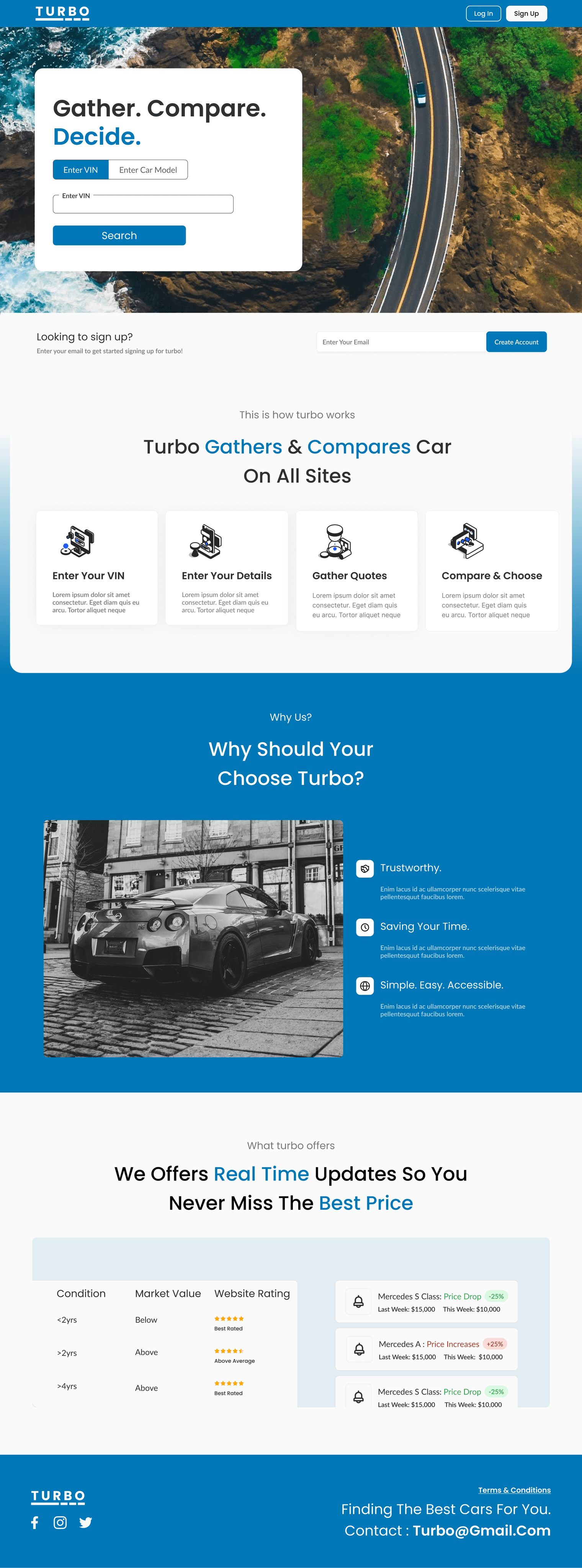
I led the redesign by creating a clear landing page, streamlined navigation, and stronger error handling. The final design delivered a cleaner, more accessible experience that set the platform up for a smoother launch.
57% Faster Quote Comparison
Usability testing showed task time dropped from 7 to 3 minutes.
92% User Satisfaction Post Testing
Most testers found the experience quick, clear, and easy to use
Complete Product Rebrand & UI Kit
Delivered a modern UI system that builds trust and supports scale.
Before

After

Problem: Daily Workflow Friction
Problem:
Used car buyers often bounce between platforms like Kelley Blue Book, CarGurus, and Edmunds—all showing inconsistent price ranges. The current website goal is to do this, but currently it-
"creates confusion, slows decision-making, and erodes trust"
With missing pages, poor comparison metrics, and lack of branding and overall UI, this site needed to be rebranded.
Our client set out to centralize the experience with a tool that scrapes car data and delivers one trusted price range. But the MVP fell short:
Cluttered and inconsistent designs
Missing pages and no error states/ poor UX
Poor accessibility and user control/freedom
Has sections but not clickable, must scroll to access. Even if we made it clickable, there would be long scroll/load time with 30+ categories for sections.

Poor scanning to view information.
Engineers would mention they would be on this all day, and looking back and forth on a large monitor.
Discovery Call: Expectations & Priorities
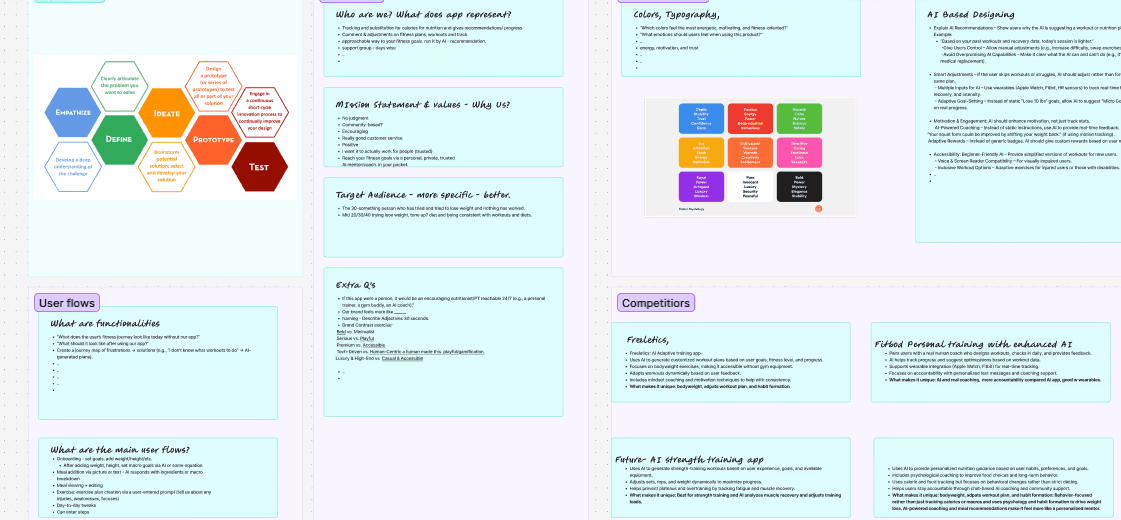
I organized a meeting with client, developers, PM & myself to go over overall goals, current priorities and goals from others, and to lay out UX/UI goals and expectations.
Here is what we discussed:
Client Goals: Modern Trustworthy Site
Clients goals were to have a used car scraping site that was modern and built on trust.
Developer Needs
Developers requested a clear UI kit, structured meetings, and design to dev timeline
Communication and My Role
I set up weekly meeting with developers, and asked about brand tone, business needs, and user flwos.
Goal of this website
Today’s car buyers waste time bouncing between tabs and platforms—KBB, Edmunds, CarGurus—just to get a reliable quote. We needed to solve that with a centralized, confident experience.
Usability Review: Inefficient Flows
We prioritized issues based on usability heuristics, not assumptions. Here are some of the issues we found:
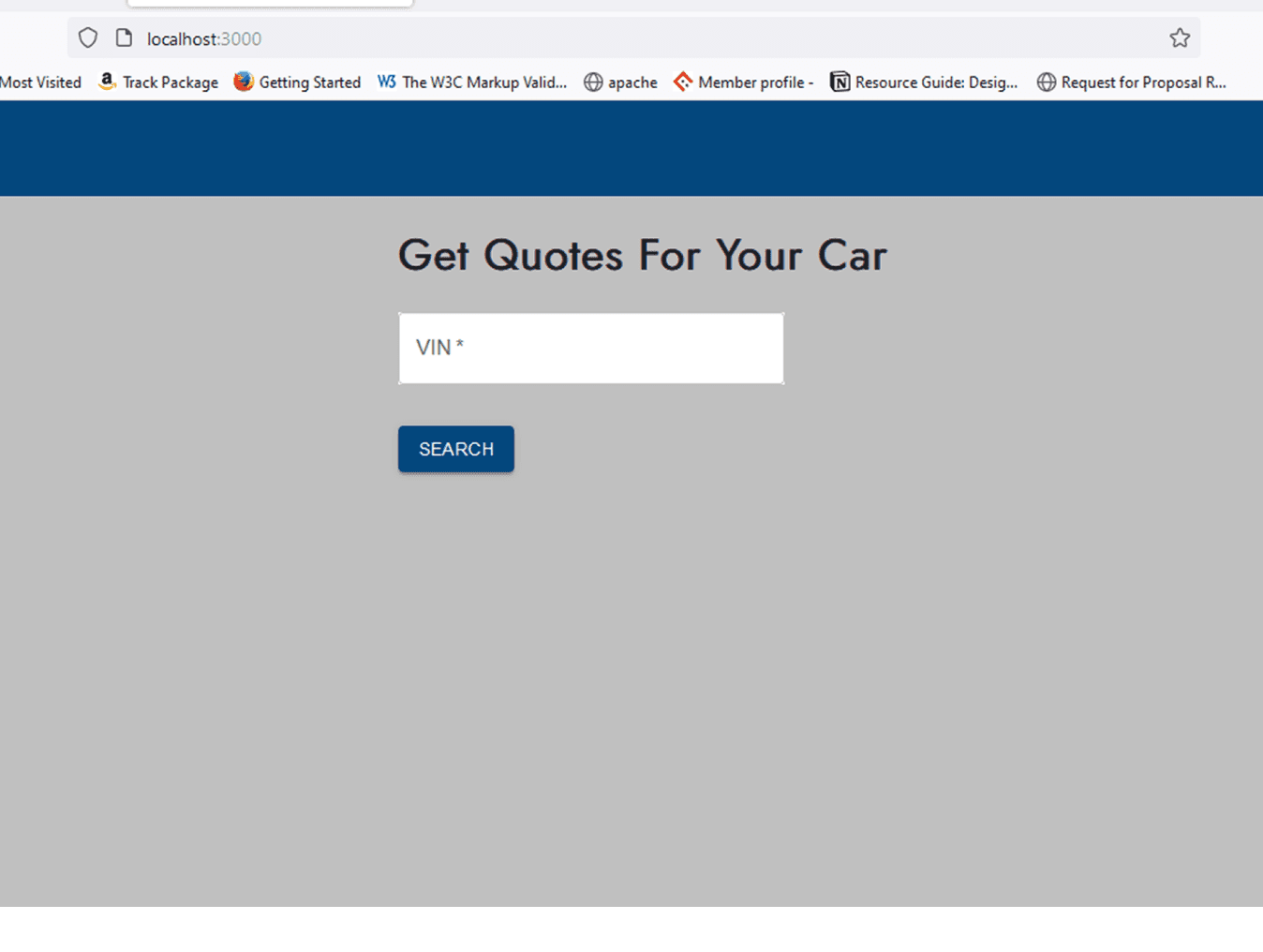
Where Am I?
It lacked visual cues, branding, or clarity—instantly creating distrust.
"Is this site legit? Why should I trust these quotes?"

Confusing Interface
Form fields were unordered and cluttered—making completion confusing and slow.
"What am I supposed to enter and why is everything out of order?"

No Feedback
No error states, progress indicators, or guidance—leaving users stuck and frustrated.
"Nothing’s happening… did it even work? What do I do now?"
Heuristic Evaluation: Uncovering UX Flaws
I needed to identify biggest areas of where experience rboke down and set clear direction for redesign. I chose to do this to prioritize issues based on severity, no assumptions.
Here is what we discussed:
Error Prevention
Input error feedback would increase risk of user mistakes and poor clarity.
Recognition Over Recall
Poor visual hierarchy forced users to remember content and long lists.
Aesthetics and Minimalistic Designs
Outdated UI reduced user trust as there no branding to build trust as to who they are.

Overall FIndings
Usability Breakdown reveals poor UX flows with missing flows for comparison table, metrics, etc. It also has no branding, unnecessary screens, and poor accessibility.
Research Summary: Where the Tool Broke Down
Constraints
Our main constraint was inability to directly interview customers. instead we relied on secondary users who had been in contact with customers as well as understanding the industry, competitors, and the current issues.
Low Trust & Values
Users did not trust the current site and quotes as the site seemed outdated, had no representation.
Cognitive Overload
Dense layouts, weak visual hierarchy, and poor UX patterns overwhelmed users. In addition, little to no accessibility as well.
Missing Market Features
For being a used car scraping site to compare different sites, the comparison tool was non-existent.
Ideation Phase: Feature Matrix: Competitor Benchmarking
Feature/Brand
Quote Comparison
User Personalization
Price Transparency
Mobile Experience
Visual Design / UI
CarGurus
One-site only
Generic filters
Good deal tags
Mobile-friendly
Modern, clean
Edmunds
Manual site hopping
One-size-fits-all
Est. range only
Clunky, text-heavy
Dense, dated
Kelly Blue Book
Site-specific only
Limited intent input
No calc explanation
Dated, not app-like
Info-heavy, dated
What Turbo Can Do
Cross-platform, side-by-side
Intent-based smart flow
Clear value breakdown
Clear UI,, app-like UXo
Modern, minimalist
Why I Did This
Understand industry standards across top vehicle valuation platforms.
Identify usability opportunities and feature gaps in the car quoting space.
Opportunity: Simplify the interface while maintaining transparency and trust.
What They Lack
No Cross-Platform Quote Comparison: Users open tabs across sites; no unified view.
Minimal Personalization: No guidance based on user intent (e.g., quick sale vs. high return).
Cluttered or Dated Interfaces: Dense text, weak CTA flows, and poor hierarchy.
These gaps validated our core differentiators — smart personalization, quote transparency, and designing effieicent flows.
User Flows – Mapping a Complete Experience
To address missing screens and unclear navigation paths in the original site, I created user flows that clarified the full end-to-end journey.
Where does saved car info live?
How can users edit input for better quotes?
Why are core pages like Login or T&C missing?

Created user flows focused on:
Getting a Car Quote
Saving + Editing a Quote
Designed flows to reflect real user tasks, such as quote comparison, account usage, and adjusting input details.
What I Found
Missing Screens
Critical screens like Sign-Up/Login, Saved Quotes, and Quote Editing were missing or unclear.
How do I change initial quote entries?
Flows revealed that users had no easy way to revisit or edit past inputs—hurting trust and usability.
No visual metric for analysis
No clear confirmation or feedback steps in the process led to confusion about whether tasks were completed.
Mid-fi: Research Drove Design Decisions
Taking research and ideation metrics into consideration here is how we designed our mid-fi's.
Key Design Decisions
Simplified Information Hierarchy
Reduce overload by decreasing large forms and grouping similar inputs together for ease.
Trust-Building Landing Page
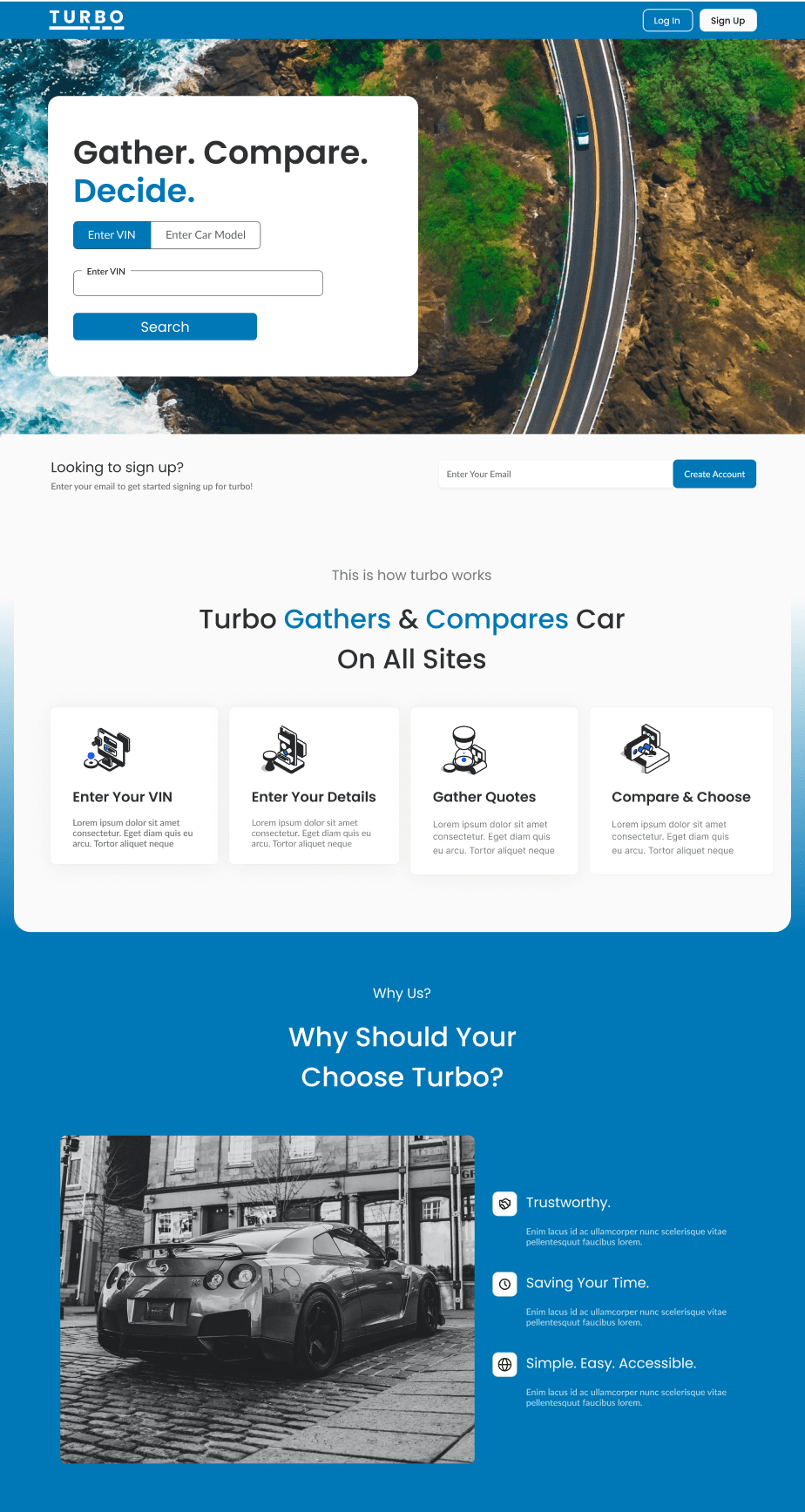
Designed a branded landing page focused on who they are, what they do using a UI kit.
Focused On Actionable Comparisons
Introduced quote cards and side by side layouts to make multi-platform comparison easier.
4-step “How Turbo Works” section
Addresses a big usability gaps: Lack of context. We learned users didn’t trust the tool.
Dropdown filter above cards
Users were frustrated revisiting quotes, so we added sorting to keep things organized.

Hero section with input field and single CTA (“Search”)
Early users didn’t know where to start, so the hero guides them into the flow.
TURBO
Log In
Sign Up
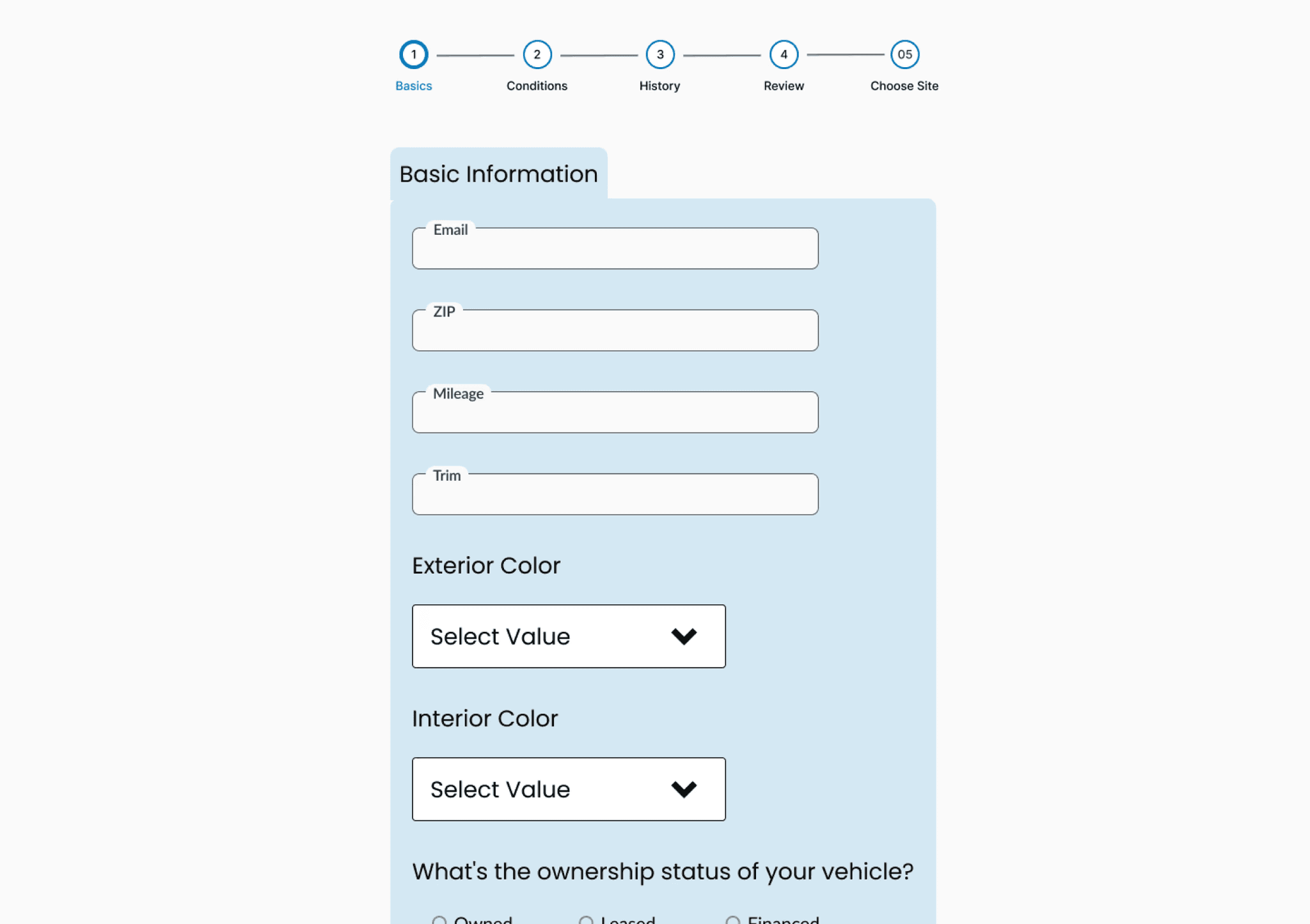
Let’s Gather Information
Fill Out and Gain Instant Access!
Basics
ZIP
Mileage
Trim
Exterior Color
Select Value
Black
White
Red
Interior Color
Select Value
Blue
Beige
Black
What's the ownership status of your vehicle?
Owned
Leased
Financed
Conditions & History
Has your vehicle ever been in an accident?
Yes
No
If so, how many times?
0
1
2+
What is the condition of your vehicle?
Excellent
Rough
Fair
How many keys do you have for this vehicle?
0
1
2+
Has the vehicle been smoked in?
Yes
No
What is the car’s interior material?
Interior Material
Select Value
leather
nylon
vinyl
alcantra
polyster
artificial leather
faux leather
What type of title does the vehicle have?
Clean
Savage
Rebuilt
Does the vehicle have any aftermarket parts?
Yes
No
Enter Below
If yes, please list what parts?
Does the vehicles have any mechanical issues?
Yes
No
Enter Below
If yes, please list the issues.
Does the vehicles have any serious conditions that would affect driving?
Yes
No
Enter Below
If yes, please explain
Does the vehicle have exterior damage?
Yes
No
Enter Below
If yes, please explain
Is the windshield damaged?
Yes
No
What is the condition of the tires?
Excellent
Bad
Poor
Get Quotes
Save Vehicle
TURBO
Finding the best cars for you.
Contact : turbo@gmail.com
Form split to two grouped sections: “Basics” and “Conditions"
Large forms overwhelmed users, so we split them into smaller steps to reduce drop-off.
TURBO
Saved Cars
Select Value
Newest to Oldest
Oldest to Newest
By Price (Lowest)
By Price (Highest)
By Condition (New to old)
By Condition (Old to New)
Alphabetically

Brand
BMW
Price
$13,600
Condition
New
Learn More
Brand
BMW
Price
$13,600
Condition
New
Learn More
Brand
BMW
Price
$13,600
Condition
New
Learn More
TURBO
Finding the best cars for you.
Contact : turbo@gmail.com
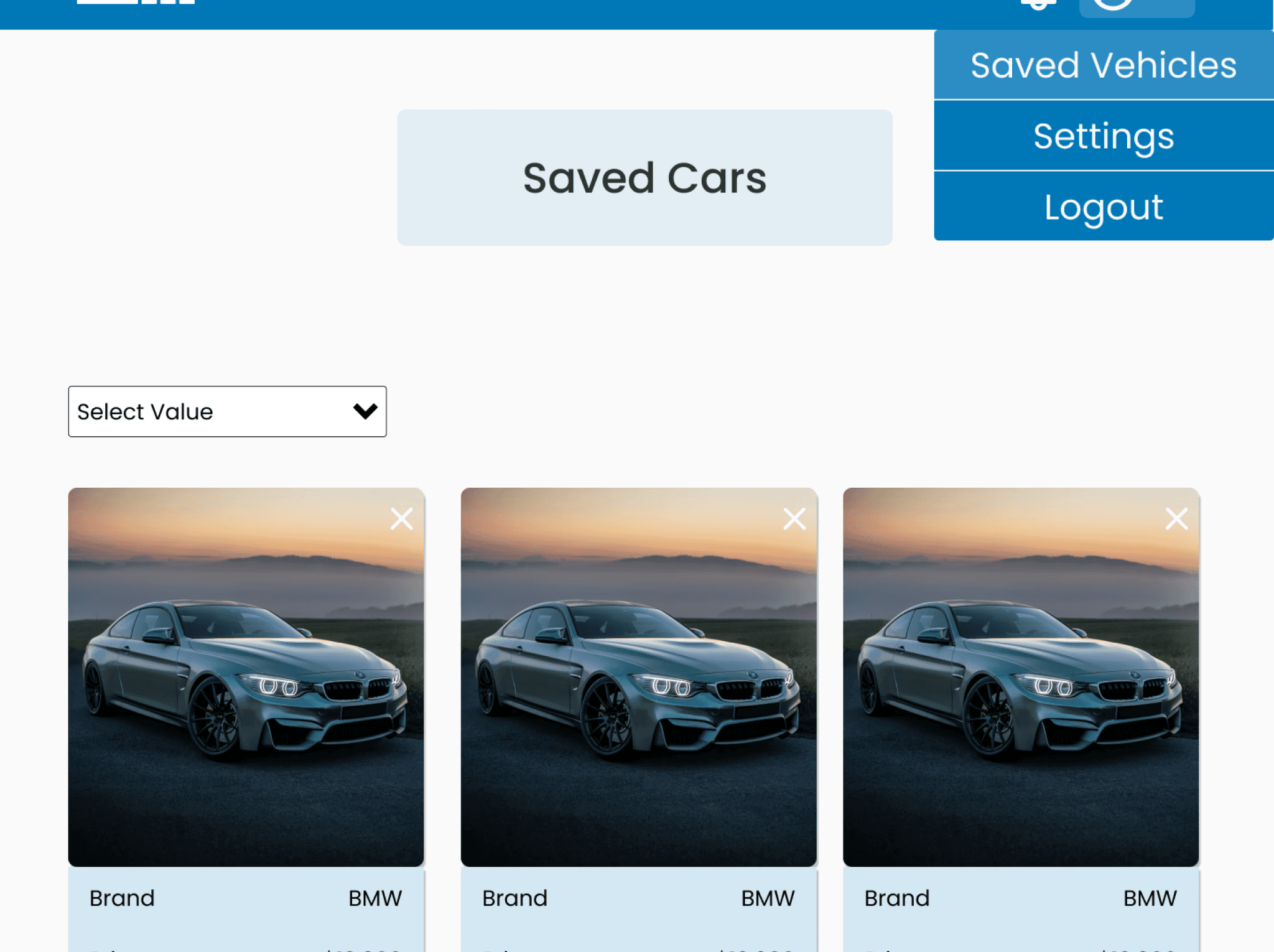
Card-based layout for saved cars
Users wanted a simple way to compare quotes, so we made key info easy to scan, with ability to click "Learn More" button.
Usability Testing
We tested 5 participants by focusing on three tasks: Inputting vehicle details to receive a quote, save car details for later, and understanding what Turbo does and participants trust levels with how company is.
Key Design Decisions
Simplify Task Flows
Users preferred for inputted data to be split into more sections to reduce fatigue
Landing Page Clarity
Users understood what Turbo was, but was not as clear on how it worked, so had improve clarity
Guide Decision Making
The saved cars overlay lacked clarity so have tp clean it up by noting good deals, etc.
On a scale of 1-10, how supportive & easy was it to find best quote for your saved price?
4 Out of 5 Participants rated this 8 or higher.
On a scale of 1-10, How quick was it to input information?
3 Out of 5 Participants rated this 8 or higher.
Would You Trust this website & understand what it provides?
3 Out of 5 Participants rated this 8 or higher.
Hi-Fi: Enhanced Navigation, Streamlined Results, and Strengthened User Focus
We took these insights and implemented this into our designs.
Why Us & How it Works Sections
These sections added to landing page to clarify who we are and what we offer to trust build.
Break Up Inputs/ Get Rid Of DropDowns
Removed dropdowns and separated inputs into sections by grouping textfields based on testing.
Changed Notifications
As a young designer, I approached certain areas wrong, and getting rid of modals for toast notifications was one.
Visual Hierarchy and Clarity
Cards visually grouped making it easier for engineers to scan, understand, and take action.

Original UI: A long list of SKU's and another tab with 30+ categories

Original UI: A long list of SKU's and another tab with 30+ categories

Updated UI: Tag system for efficient SKU Retrieval
Hifi: Building a brand focused on trust, clarity, and ease of use
We clarified hierarchy, added visual cues, and built reusable components to make data easy to scan, compare, and trust.


Outcome: Rebranding An Accessibility & Trust Focused Car Scraping Website For Clarity
UX Outcome
57% faster task completion – Reduced quote comparison time from 7 to 3 minutes in usability tests
18% increase in flow efficiency – Improved navigation and clarity across key flows
92% user satisfaction – Most testers rated the flows to 8/10 or higher for ease of use
Business Outcome
Built user trust – Introduced visual trust signals like verified logos, reviews, and full car details.
Launched new brand identity – Rebranded the full product with consistent UI and messaging.
Client Approval – After introducing usability testing, design decisions & UI kit client approved changes made.
What I Learned
This redesign turned a idea with poor UI, incomplete UX flows and poor user trust into a rebranded, clear and d supportive comparison tool for users to trust and use.
Sticking Up For Design.
I learned how to advocate for users by pushing back with mockups, being the sole designer, and pushing for features to best support users.
Building Systems.
Building a scalable component system that saved time and ensured consistency. I learned how to think beyond screens and design for systems.
Ownership.
When my senior stepped away, I took full ownership—leading research, UX decisions, and UI design with developers allowing me to take over end to end design.
But wait there more....
Internal Used Card Quoting Platform
Turbo: Streamlining Car Shopping With Unified Quote Comparisons
Cars
Quote Tool
SAAS
55%
Improved Efficiency
Post Usability Testing
102%
Improved Efficiency
Post Usability Testing
View Case Study