Zurn Spec Sheets Finder Platform
Redesigning Zurn's Options Tool: Enhancing Engineer Workflow Efficiency
My role
Designer & Researcher
Tools
Figma & Maze
Timeline
1 month

TL;DR
Redesigning a Critical SKU Tool for Engineers
Problem:
Zurn Elkay technical users (engineers & architects) relied on this tool daily—but poor UX slowed down spec retrieval, increased confusion, and created brand inconsistency across the site. Also, this tool was undervalued by stakeholders despite its role in projects and workflows.
Solution
I redesigned this engineering tool used to find SKU's & drawing files. I cut retrieval time by 55%, achieved brand consistency, and secured stakeholder buy-in — leading to faster engineering workflows and a scalable design system.
50% Faster SU Retrival
Usability testing showed engineers completed key tasks in nearly half the time.
88% Success Rate
Engineers located drawing/spec files quicker with minimal confusion.
Stakeholder Buy-In
A/B tests and clean mid-fis helped drive leadership alignment.
Before

After

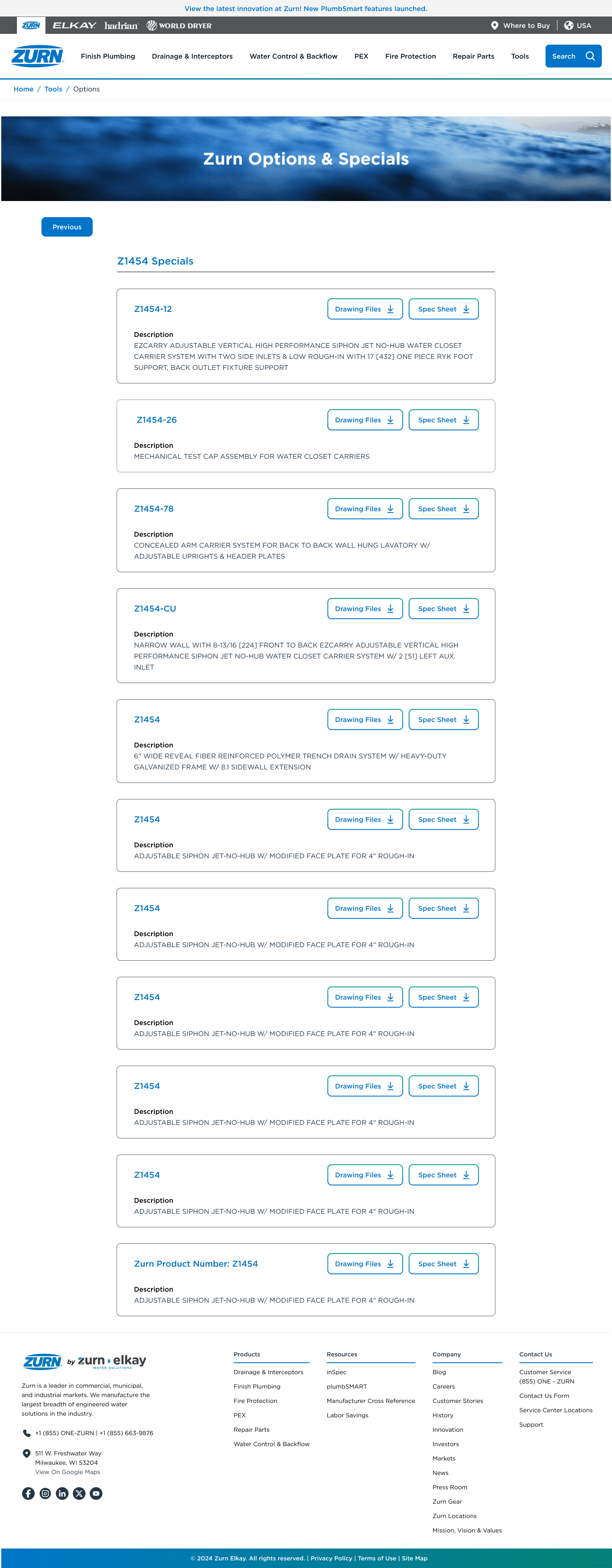
Problem: Daily Workflow Friction
Problem:
Zurn Engineers rely on speed, clarity, and structure to complete their work efficiently. But Zurn’s SKU tool impacted speed—
"slowing down teams, hurting productivity, and damaging efficiency."
With engineers using this tool 3-5 times daily, workflow friction wasn't just a user experience issue—it was directly impacting project timelines and team productivity.
"By the time I get to a drawing file, it takes so long and I have to do it over and over again. It's frustrating."
-Zurn Engineer
Critical Issues
Poor UI and lack of visual hierarchy for the results
Difficulty locating and accessing product options quickly
Long list of SKU's = takes too much time = Engineers are on this all day = Inefficient
Inconsistent branding created disconnect from main Zurn ecosystem
Has sections but not clickable, must scroll to access. Even if we made it clickable, there would be long scroll/load time with 30+ categories for sections.

Poor scanning to view information.
Engineers would mention they would be on this all day, and looking back and forth on a large monitor.
Usability Review: Inefficient Flows
We prioritized issues based on usability heuristics, not assumptions. Here are some of the issues we found:

Inconsistent UI

Slow Filtering & Use
It presents a long list, requiring users to know the product type and scroll extensively—slowing down their workflow.

Cluttered Product Info
The information for the product SKU is not shown to scan information quickly and download the needed drawing files.
User Interviews: Engineers Spending
Too Much Time On A Daily Tool
We conducted 45-minute semi-structured interviews with 4 Zurn Engineers to understand workflow pain points with the current SKU tool. Participants were recruited through engineering team leads and had 3-6 years experience using the tool.
Here is what we found:
Too Many SKUs, Time Consuming
A long, single-line SKU list and 30+ category pages made it difficult to find what they needed.
Wasted Time on Simple Tasks
A task that should take seconds—took minutes and disrupted project flow.
Hard to Scan, Hard to Match.
Results lacked hierarchy and users struggled to match files to the right SKU.
"I spend too much time trying to find the SKU especially when I need spec sheets multiple times during the day"
-Zurn Senior Engineer
"Kills my flow when I'm working, and its frustrating."
-Zurn Engineer
Research Summary: Where the Tool Broke Down
Constraints
Stakeholders initially underestimated the tool’s value, overlooking how much it impacted engineering productivity and project timelines. Time was also low, with a barely a month for the whole process, I had to be picky with the methods we choose for all phases = give best ROI
Workflow Bottleneck
Engineers struggled to locate spec sheets and drawing files quickly, creating inefficiencies that slowed workflows and hurt overall productivity.
Branding Breakdown
The tool felt visually disconnected from Zurn’s ecosystem, reducing credibility and lowering confidence in the platform.
Business Alignment
Highlighting friction through early design exploration helped shift stakeholder mindset, showing how UX could drive clarity and efficiency.
Priorization Matrix: Analyzing High Impact Features
After research, with a tight deadline for the merger, we focused on ideating through a feature matrix and mid-fi designs to get most bang for our buck. I created a prioritization matrix to weigh impact vs. effort. This helped align the team on what would deliver the greatest value to engineers
Here is what we found:
SKU Finder Filter System
Reduce scrolling and find the cateogory for their SKU asap.
Clean Scanning for Information
Improved scanning and hierarchy so users could find the right specs files faster.
Clean Action Box At Top
where users would enter actions in 1 spot - similar to other tools that I designed to create ecosystem
Low effort
High effort
High impact
Low impact
Incremental
Easy wins
Big bets
Money pit




START HERE
DO THESE NEXT
FILL-INS
THANKLESS TASKS

Mid-fi
The goal for mid-fi's were to redesign the SKU selection flow to reduce friction, improve clarity, and align with Zurn’s design system—for quicker workflow for engineers and architects.
Key Design Decisions
Dropdown System for All Units
This simplified the flow, and we included it in a top box for all action elements to be in.
Using Color For Recognition
Used single file list with alternating colors of our brand style to find SKU quickly.
Two list formats for A/B testing
If a engineer had to manually find a SKU, we toyed with single file format or column format for testing.
Clean Cards with Proper Hierarchy
In previous cards, they stretched across the screen, had no hierarchy. With these we have downloadble files in buttons, and SKU listed clearly.
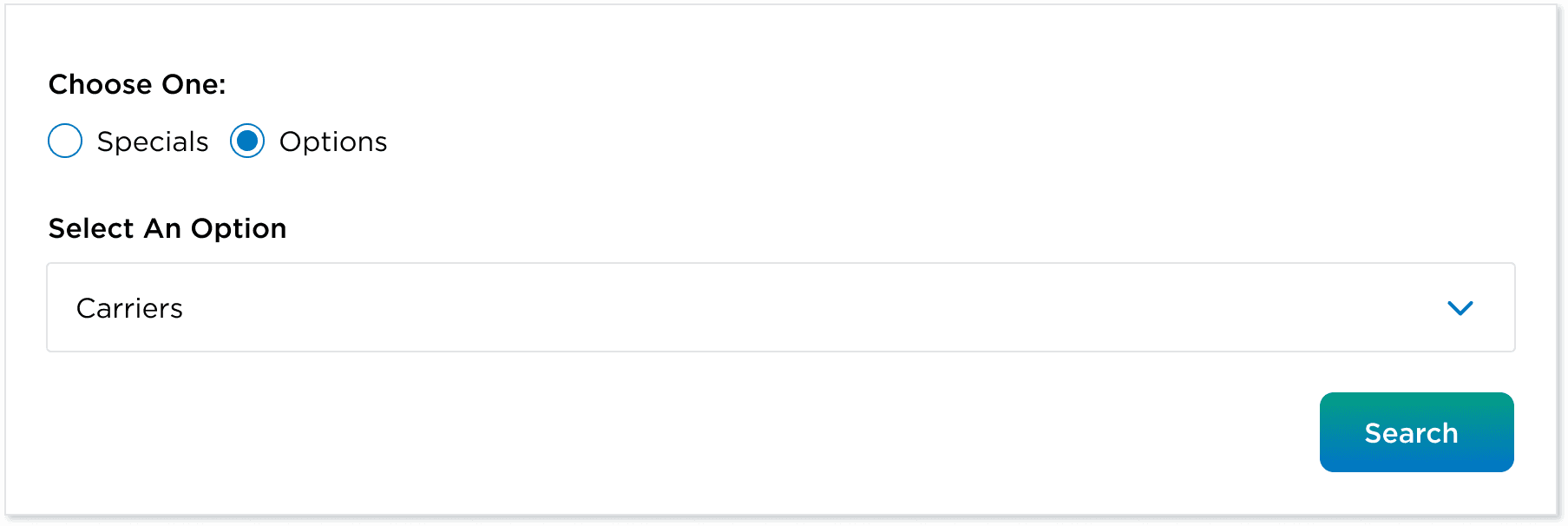
Dropdown for 30+ categories
Replaced the long scroll with dropdowns and have all action items in a top box section.
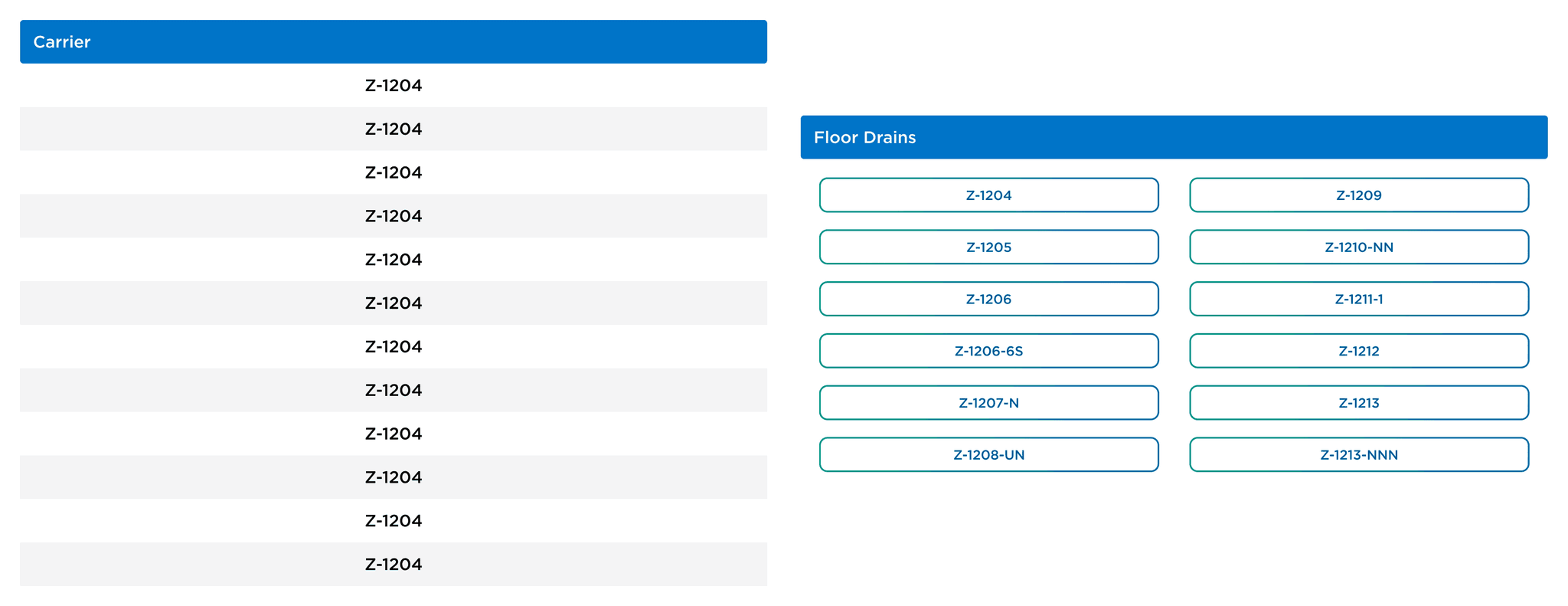
Poor scanning to view information.
Engineers would mention they would be on this all day, and looking back and forth on a large monitor.
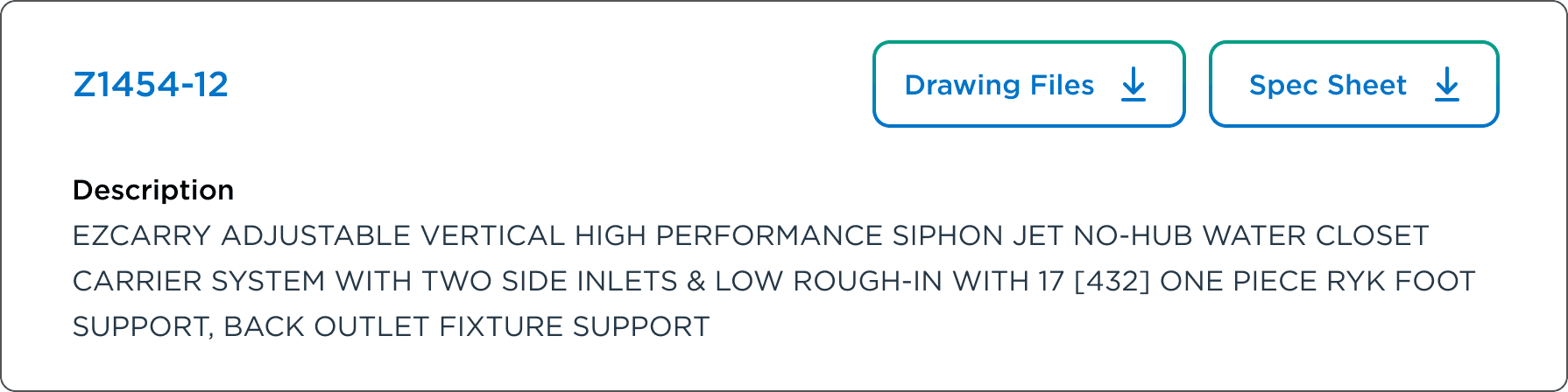
Used branding styles to get clean card that was easy to read.
Used familiar card components from Zurn’s ecosystem to ensure visual consistency and improve usability.
Usability Testing
We ran testing with 8 Zurn Engineers and improved ability find spec sheets. Each engineer completed the same 3 SKU lookup tasks using both layout options. Tasks included finding specific product specs, downloading drawing files, and locating alternative SKUs.
The two layouts we tried were:
- One with tag dropdowns and a multi-row format for the different categories.
- One with a tags on screen and a wider layout of options.
On a scale of 1-10, How effective was it to locate the files needed under each sku?
7 Out of 8 Participants rated this 8 or higher.
How much more quicker is it to get to the needed SKU or file?
5 Out of 8 Participants rated this 8 or higher.
On a scale of 1-10, Did you prefer using the tag filtration system?
8 Out of 8 Participants rated this 8 or higher.
Hi-Fi: Enhanced Navigation, Streamlined Results, and Strengthened User Focus
We took these insights and implemented this into our designs.
Implement Tag Based System
Removed dropdowns to let users filter SKUs instantly with a single tap—no extra steps.
Single file list for scanning
Engineers preferred the original list for scanning. We kept it, but improved structure and spacing.
Added Visual Consistency
Applied Zurn’s refreshed design system for clean, accessible UI and improved user trust.
Visual Hierarchy and Clarity
Cards visually grouped making it easier for engineers to scan, understand, and take action.
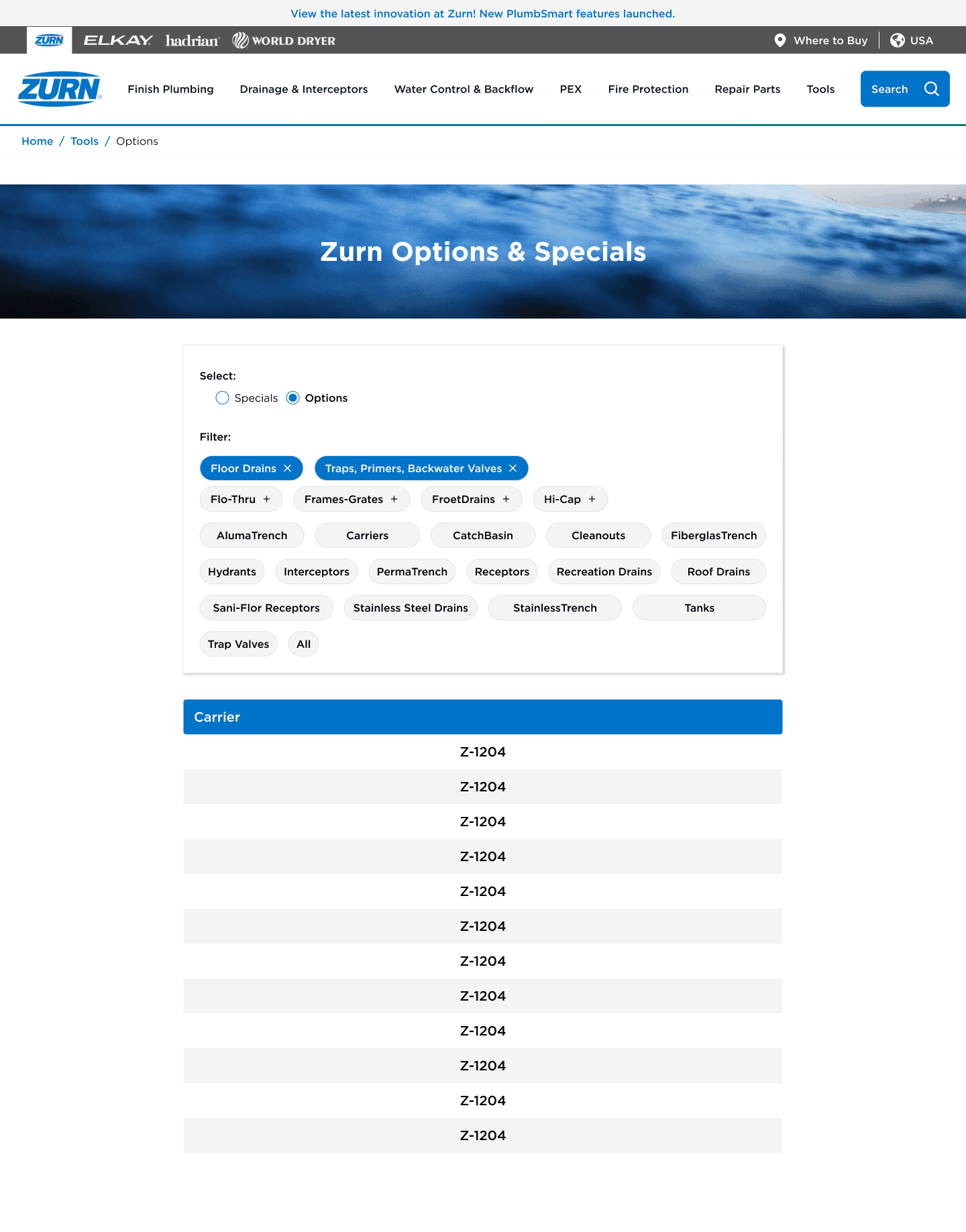
Original UI: A long list of SKU's and another tab with 30+ categories
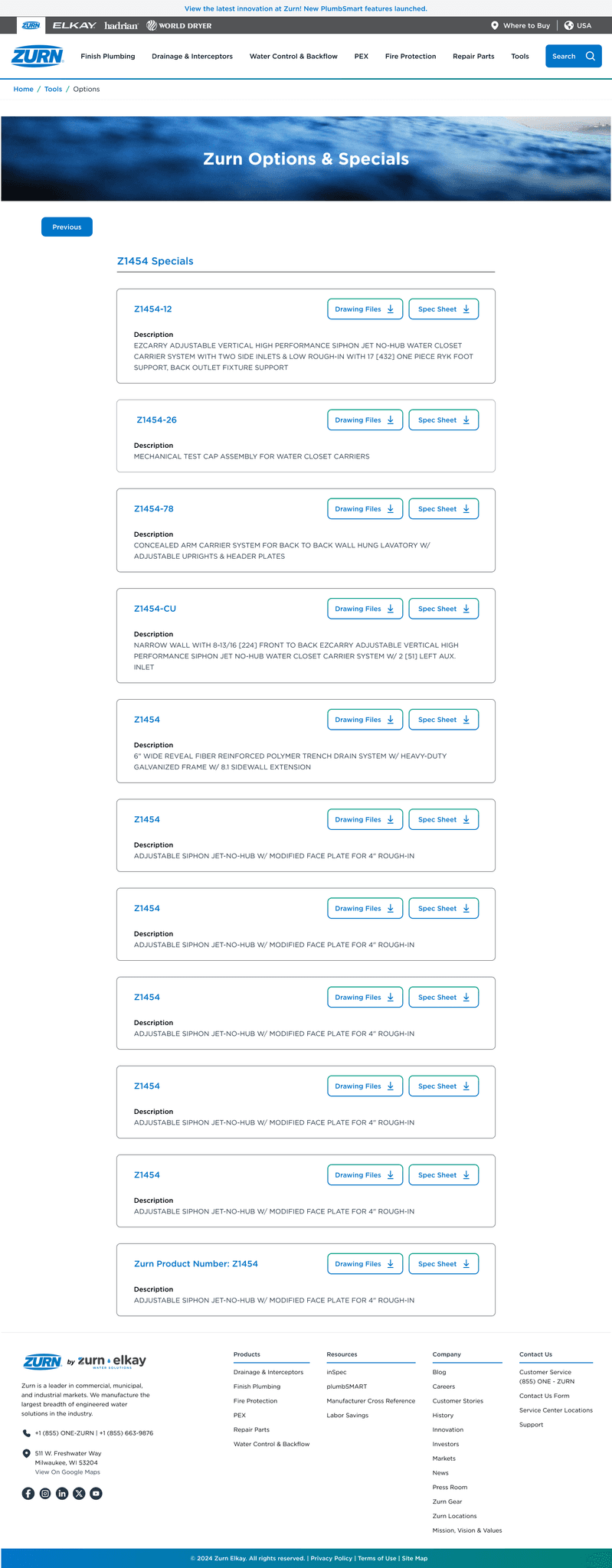
Updated UI: Tag system for efficient SKU Retrieval
Outcome: Driving Efficiency and Business Growth
UX Outcome
55% task time reduction – Engineers completed SKU lookups faster with simplified flows and direct filters
88% file-finding success rate – A/B testing showed strong usability gains compared to earlier wireframes
100% filter preference – All testers preferred the one-click tag system over dropdowns
Stronger layout & scannability – Visual card grouping and spacing improved navigation and reduced overwhelm
Business Outcome
Increased internal buy-in – Test-backed designs and usability wins convinced stakeholders to prioritize the tool
Improved engineering workflows – Faster access to spec files helped reduce project delays
Better brand perception – Applied Zurn's refreshed design system to reinforce professionalism and consistency
Future-ready UX foundation – Reusable UI patterns set the groundwork for other internal tools and scale
What I Learned
This redesign turned a slow, outdated tool into a fast, intuitive experience built for real engineering workflows that currently is used by all Zurn engineers in their daily workflow.
Stakeholder Buy-In.
I learned to advocate for users when priorities clashed, gaining stakeholder support and balancing user needs with business goals.
Teamwork.
Having two large project to work on - I leaned on my team for feedback. I also reached out to other teams - marketing, developer, etc - for their insights.
Taking Perspectives.
Push ego aside and take perspectives from not only users, but from others who are involved in the project such as engineers, etc.
But wait there more....
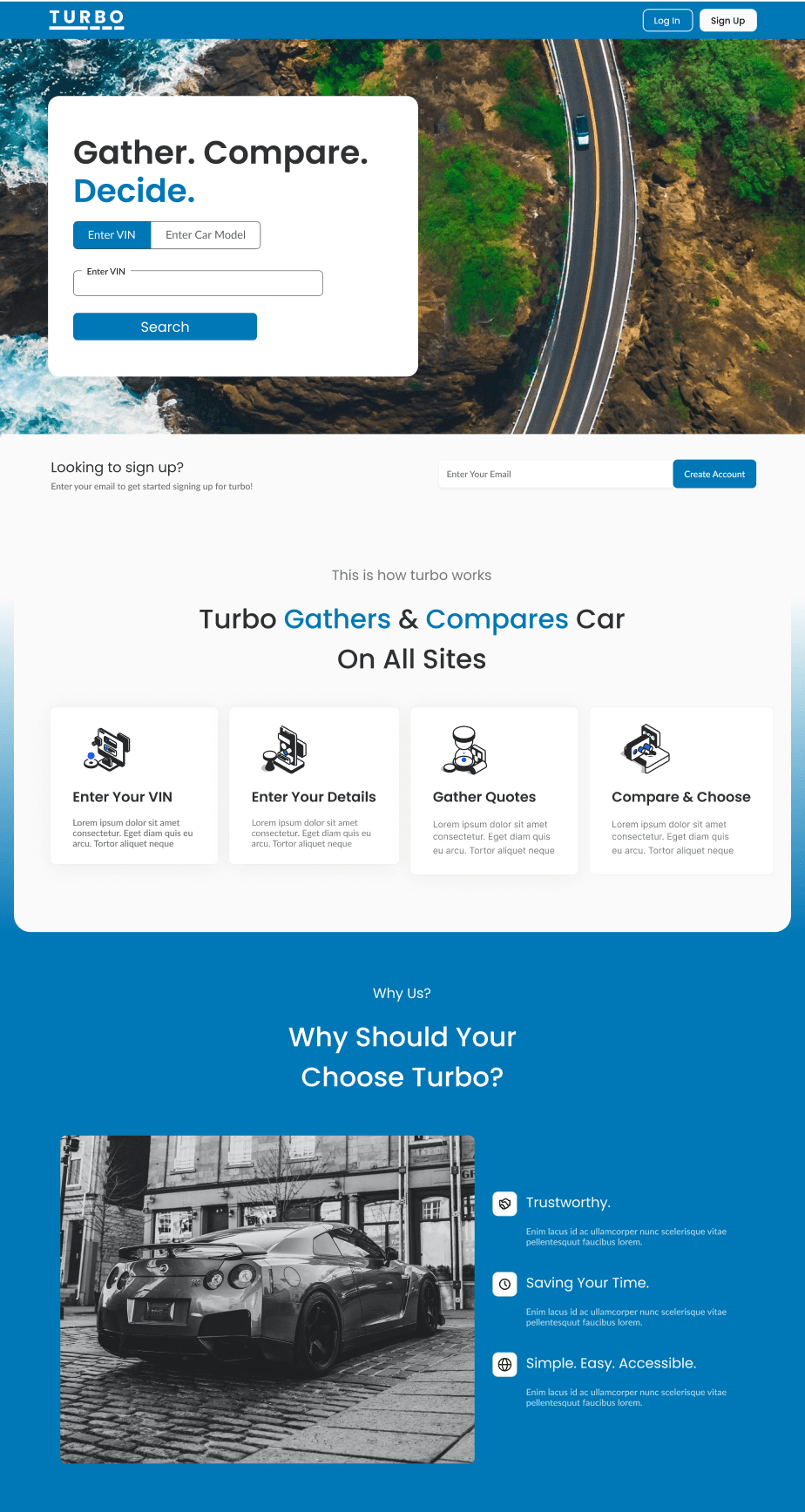
Internal Used Card Quoting Platform
Turbo: Streamlining Car Shopping With Unified Quote Comparisons
Cars
Quote Tool
SAAS
55%
Improved Efficiency
Post Usability Testing
102%
Improved Efficiency
Post Usability Testing
View Case Study